Entertainment Center for 80 Inch TV: Sizing and Buying Guide

An entertainment center for 80 inch TV is not a casual purchase. It changes how the whole room feels, and if the proportions are wrong, the TV looks like it's floating over furniture that's too small to support it. In a Freehold showroom, the first thing worth doing is not picking a finish, it's measuring the screen, the wall, and the seating distance so the setup feels grounded, safe, and balanced in an Albany, Schenectady, or Troy living room.
Why Diagonal Screen Size Changes Everything About Your Stand
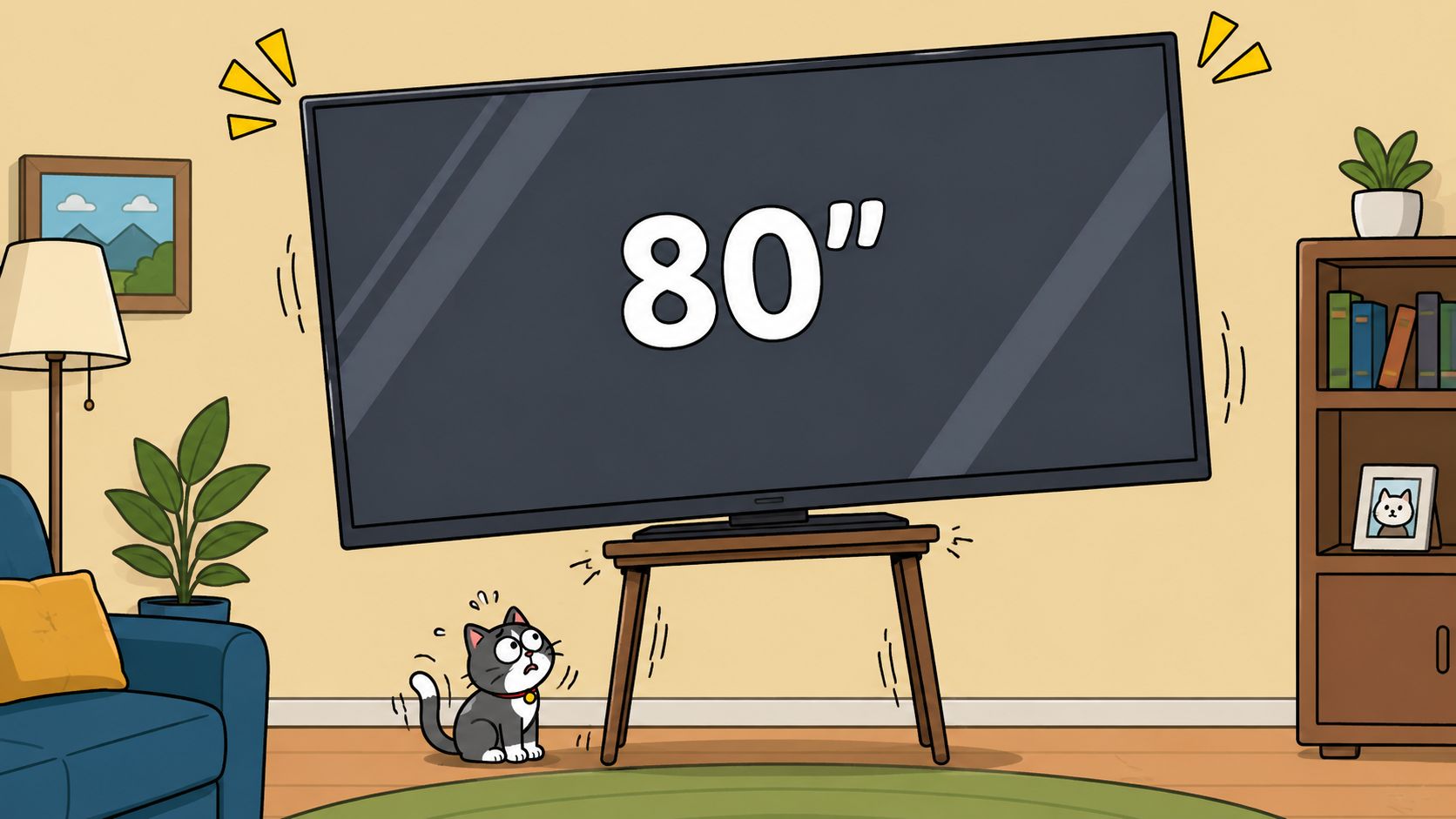
An 80-inch TV tempts shoppers to focus on the number and forget the footprint. That is the wrong order. The screen is measured diagonally, so the cabinet decision has to start with the actual left-to-right width and the space the room gives you, especially in Upstate New York homes where family rooms are often narrower than people expect. A stand that is too short leaves the display looking top-heavy, and a stand that is too small on the floor can make the whole setup feel unstable.
Measure the TV the right way
Use a tape measure and check the full width from outer edge to outer edge. Then compare that number with the top surface of the stand, not the catalog name or the product title. A cabinet that only matches the screen width leaves no room for balance, and it leaves you nowhere to set a soundbar, cable box, or game console without crowding the front edge.
A wider base gives the TV a cleaner visual frame and more forgiveness in a busy living room. It also makes the setup easier to live with once the room fills up with speakers, remotes, and the usual clutter that lands around a family television.
Practical rule: the stand should be wider than the TV, not equal to it.
The same rule shows up in how to shop for TV stands, where width is treated as the first measurement, not an afterthought. That is the logic behind choosing a console that frames the screen instead of squeezing it into place.
Why old cabinet rules stopped working
Older TV cabinets were built for boxy sets and closed storage. Flat panels changed the job of the furniture. A large screen now calls for open, width-based support that gives the TV room to breathe and keeps the room from feeling overloaded.
The right box also matters when the TV has to travel. Clear, secure packing protects the screen and the stand if you are moving a setup across town, which is why expert boxing advice for Gold Coast relocations still has practical value for anyone handling a large display with care. The furniture itself should follow the same common sense, enough width, enough support, and enough open space around the screen so the setup looks planned instead of forced.
For shoppers comparing layouts in Freehold or anywhere in the Capital Region, the first move is still simple. Measure the screen width, measure the room, then choose the stand that gives the TV proper presence and keeps the whole arrangement grounded.
Exact Measurements and Weight Rules for an 80-Inch Setup
An 80-inch TV needs more than a surface under it. It needs a console that looks anchored to the wall, leaves safe clearance around the screen, and can hold real weight without sagging. In Upstate New York homes, where living rooms often have tight traffic paths, older trim, or a narrow wall span, width becomes the first measurement to check. An entertainment center for this size of TV should give the screen proper balance, so a wide console in the 80-inch to 96-inch+ range is the right starting point for most shoppers.
The width rule stays simple. Measure the TV, then choose a stand that gives extra room on both sides instead of matching the set edge to edge. A separate buying guide says an entertainment center for an 80-inch setup should be at least 10 inches wider than the TV and should be checked against the TV plus components with a 20% safety margin on weight capacity.
Benchmarks that matter in the showroom
| Measurement | Recommended Range | Why It Matters |
|---|---|---|
| Width | At least 10 inches wider than the TV, often 80 inches to 96 inches+ for large-screen setups | Keeps the TV visually balanced and gives the base enough presence |
| Depth | 20 inches to 24 inches is common for entertainment centers, with standard guidance often landing around 20 to 24 inches or 15 to 20 inches depending on the design | Leaves space for cables, components, and stable footing |
| Height | 20 inches to 24 inches works well for many seated setups, especially with sofas in the 18 to 20 inch seat-height range | Helps the screen line up closer to seated eye level |
| Weight capacity | Add the TV, soundbar, consoles, and speakers, then keep a 20% safety margin | Protects against sagging, tipping, and shelf stress |
Width is only half the job. Depth controls whether the console can sit flat without crowding plugs, wires, or rear cabinet panels, and height determines whether the screen feels comfortable from the sofa or too high for a long night of viewing. Standard entertainment centers also show why shoppers should not guess. Common dimensions often fall in the 48 to 72 inch width, 20 to 24 inch depth, and 24 to 36 inch height range, while some guides describe many models as about 60 to 80 inches high. That spread makes one thing obvious, width, depth, and height all need to be checked separately.
A measurement guide for large TVs is even more direct. The TV's advertised size is diagonal, not width, and the stand should be 6 to 10 inches wider on each side of the TV, with 75-inch-or-larger TVs matched to stands 85 inches or wider. That is the kind of rule that keeps an 80-inch setup from looking cramped in a colonial living room, a split-level den, or any room where the furniture has to fit the wall instead of fighting it.
Weight matters just as much. A console that only barely supports the panel is a bad buy, especially once you add a soundbar, consoles, speakers, and any storage items that end up on the shelves. Keep the total load below the listed limit and leave the safety margin in place. That extra space helps prevent shelf stress, wobble, and the slow sag that shows up after the room has been lived in for a while.
If the family is moving a large TV to a new room, the safest packing advice comes from the box the TV shipped in. Clear, protective packaging and snug corner support matter during transport, which is why the expert boxing advice for Gold Coast relocations is worth reading before anyone hauls a big screen across the house.
For a clean buying checklist, use this guide on how to shop for TV stands and compare the stand width, depth, and storage layout before you order.
Choosing Between Freestanding Consoles and Wall-Mounted Units
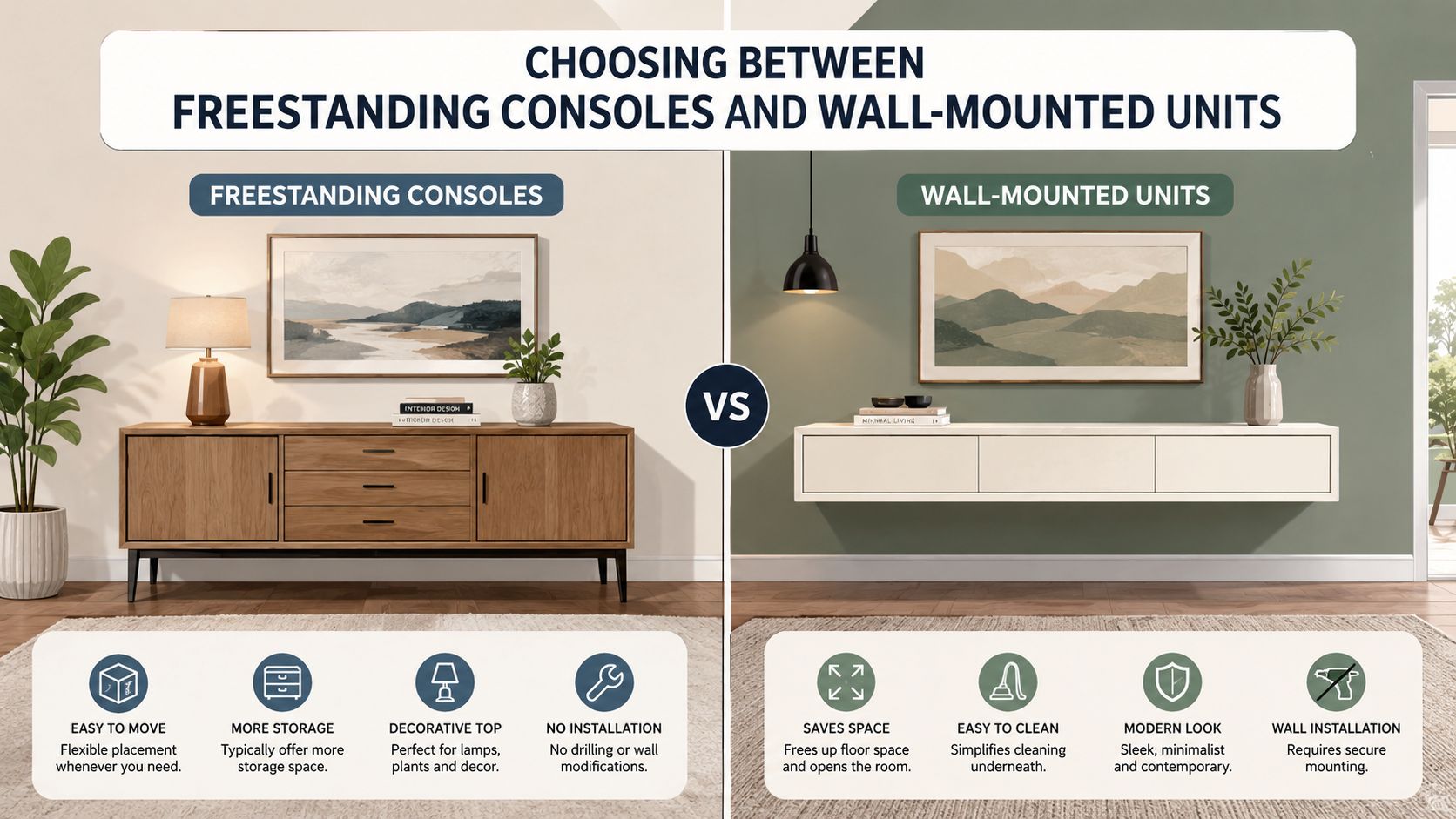
A big TV doesn't force one solution. It forces a decision. A freestanding console gives the most storage and the most traditional look, but it needs real floor width and a room that can visually support it. A wall-mounted or floating unit saves floor space and looks cleaner, but it depends on proper anchoring and gives up some cabinet capacity.
What each option does well
A freestanding console works best when the room needs storage, drawers, or closed doors for remotes, games, and media boxes. It also makes sense in larger living rooms where the console can anchor the wall and keep the display from feeling like it's hanging in space.
A wall-mounted unit suits tighter rooms or open-concept layouts where floor space matters more than drawer volume. It creates a lighter look, but the wall and stud layout have to be right, and the installation has to respect the TV's weight and the console's structure.
A custom Amish-built entertainment center gives the cleanest answer when the room has awkward dimensions or the buyer wants the wood species, finish, and scale matched to existing furniture. It's the best fit when the room wants furniture, not just a TV shelf, and it works especially well in homes where the owner wants the piece to feel like part of the house rather than a temporary electronics stand.
The simplest way to decide is to match the room to the job. Storage-heavy family rooms usually favor freestanding pieces. Compact rooms usually benefit from floating solutions. Homes that want long-term durability and visual unity usually do best with custom-built furniture.
For shoppers who want a broad look at entertainment stand styles before deciding, this internal page is worth a look, entertainment stands.
A low-profile cabinet can make a huge screen feel calmer, while a tall unit can make the same screen feel crowded.
That's the tradeoff in Upstate New York homes, where rooms can be long, narrow, or open to other spaces. The right choice isn't the biggest one. It's the one that fits the wall, the seating, and the traffic pattern without making the room feel like it was built around a screen.
Room Layout and Viewing Distance for Maximum Comfort
An 80-inch TV changes the room fast. On a long wall in an Upstate New York living room, the screen can feel balanced if the seating lands at a sensible distance, but in a narrower den or a room with a tight traffic path, the same screen can swallow the whole layout. Viewing-distance guidance generally puts a large screen farther back than casual shoppers expect, and that is the point. The room should fit the TV, not force the TV to dominate every chair and walkway. For a helpful planning reference on sightlines and placement, see practical TV positioning guidance.
Seat height and stand height need to work together
The center of the TV should sit near seated eye level. That keeps the picture comfortable to watch and keeps the stand from fighting the rest of the furniture. On a typical sofa with an 18 to 20 inch seat height, a 20 to 24 inch stand height is often a workable starting point for smaller screens, and seated eye level often falls around 40 to 43 inches from the floor. For an 80-inch setup, the exact figure shifts with the wall, the console, and the chair height, but the rule stays the same, the screen should face the viewer straight on, not sit high above the line of sight or sink too close to the floor.
Best practice: if the viewer has to crane up or tuck the chin down, the stand height is wrong.
That matters even more in older Upstate New York homes, where room proportions are rarely generous and fireplaces, windows, or radiators already claim part of the wall. If the sofa cannot move far enough back, use the room effectively. Pull down visual clutter, keep the console low, and avoid stacking the TV higher just to fill empty wall space. In a larger open-concept room, the opposite problem shows up. The TV can look adrift unless the console has enough width and presence to anchor the wall without blocking circulation.
The safest layout decision is to measure the wall first, then place the seating, then choose the stand. Do not start with the television and hope the room cooperates. An 80-inch screen needs width-based planning because the stand, the cabinet doors, and the side clearances all affect how the wall reads from the couch and from the room entrance.
Families who want to check the seating angle, wall span, and walkway clearance before buying should use a room planner or sketch the room to scale. That is the fastest way to see whether the cabinet sits naturally in the space or crowds the path to the kitchen, the hallway, or the stairs.
Network and device placement matter too. A media wall works better when the router, streaming box, and other connected gear have a sensible home, and the Nerds 2 You Edmonton network guide is a useful reference for thinking through that part of the layout without burying cables behind the wrong cabinet.
Materials, Ventilation, and Cable Management That Last
The wrong material can make a correctly sized stand fail in plain sight. Solid hardwood and Amish-crafted oak hold up well under heavy use, while engineered wood can work in the right build if the structure is reinforced and the finish is decent. Metal frames can also be smart in modern rooms, especially when the goal is a lighter visual profile and strong support.
A durability checklist that actually matters
- Stable top surface: The top should feel solid when pressed, not springy or hollow.
- Ventilation openings: Open shelving or rear cutouts help gaming consoles and AV gear breathe.
- Back-panel access: Cable holes and access points should be easy to reach, not hidden behind awkward panels.
- Shelf strength: Interior shelves need to support receivers, speakers, and boxes without bowing.
- Finish quality: Edges and corners should be sealed well enough to handle cleaning and everyday use.
The smartest cabinets don't trap heat. They let air move. That matters when a setup includes a console, a streaming device, and speakers all sharing the same enclosure. Closed doors can look cleaner, but they need enough airflow to avoid turning the cabinet into a hot box.
For material shoppers who want to understand how wood choices affect longevity and appearance, this internal guide is worth reading, wood furniture explained.
Cable management deserves the same attention as finish and size. Built-in channels are the cleanest solution, but even a well-designed stand still benefits from simple organization behind the unit. Cords should drop straight down, stay separated from power where possible, and remain accessible for future upgrades. A beautiful console with messy cable clutter still reads as unfinished.
Good furniture doesn't just hold the TV. It gives every box, cord, and speaker a place to live.
That's why the buyer should judge an entertainment center by the back of it as much as the front. The front sells the room. The back determines whether it stays usable.
Custom Ordering, Design Services, and Making It Affordable
An off-the-shelf unit is fine when the room is simple. It's not the best answer when the TV is massive, the wall is awkward, or the owner wants the piece to match existing furniture, flooring, and decor. That's where custom ordering wins. It lets the buyer choose the size, wood type, style, and finish, and even bring in a sketch or photo when the room needs a specific solution.
Why the custom route is often the smartest one
The biggest advantage is control. Custom work removes the guessing around width and height, and it lets the buyer build around real-life needs like storage for gaming gear, outlet access, or a soundbar that needs its own space. It also gives a family room a more intentional feel, especially when the goal is one piece that looks like it belongs with the rest of the house.
Tip Top's professional design services, available since 1984, give homeowners a chance to coordinate the entertainment center with other furniture, flooring, and decor without piecing the room together alone. That matters in a showroom serving Freehold and the Greater Albany Capital Region, because the right media piece often has to work with more than the TV, it has to sit naturally beside the sofa, rugs, lamps, and the rest of the home.
For shoppers ready to start a custom project, this internal page is the right place to begin, getting started with custom order.
Financing also changes the decision. A quality entertainment center, especially a custom one, shouldn't force a compromise on the rest of the room. Flexible payment options make it easier to choose the piece that fits instead of settling for the cheapest thing that almost works.
Visit the Freehold showroom to compare sizes in person, or book a design consultation if the room needs a measured, custom answer for a massive TV setup. A well-chosen entertainment center for an 80-inch TV should look right, fit right, and stay right for years.
A CTA for Tip Top Furniture & Mattresses. Visit the Freehold, NY showroom to compare entertainment centers in person, ask about custom ordering and flexible financing, and get a room-specific recommendation that fits your 80-inch TV, your floor plan, and the way your family uses the space.