Home Office Desk Setup: The Complete Ergonomic Guide

You can spend good money on a desk and still end up working from a neck strain factory. That usually happens when the room was never measured, the chair was an afterthought, and the computer landed wherever there was a free patch of wall. A proper home office desk setup solves the space first, then the furniture, then the finishing details.
The shift to remote work made that mistake a lot more expensive. Steelcase's home-office guidance and peer-reviewed research keep coming back to the same basics, the work surface should sit at elbow height when seated, the monitor should be at eye height, and the keyboard and mouse should share the same plane for neutral forearm positioning. That matters because only 30% of remote workers have a workspace meeting basic ergonomic standards, and 52% report new or worsened musculoskeletal pain after moving to remote work, according to the research cited in the Steelcase article on designing a home office that works.
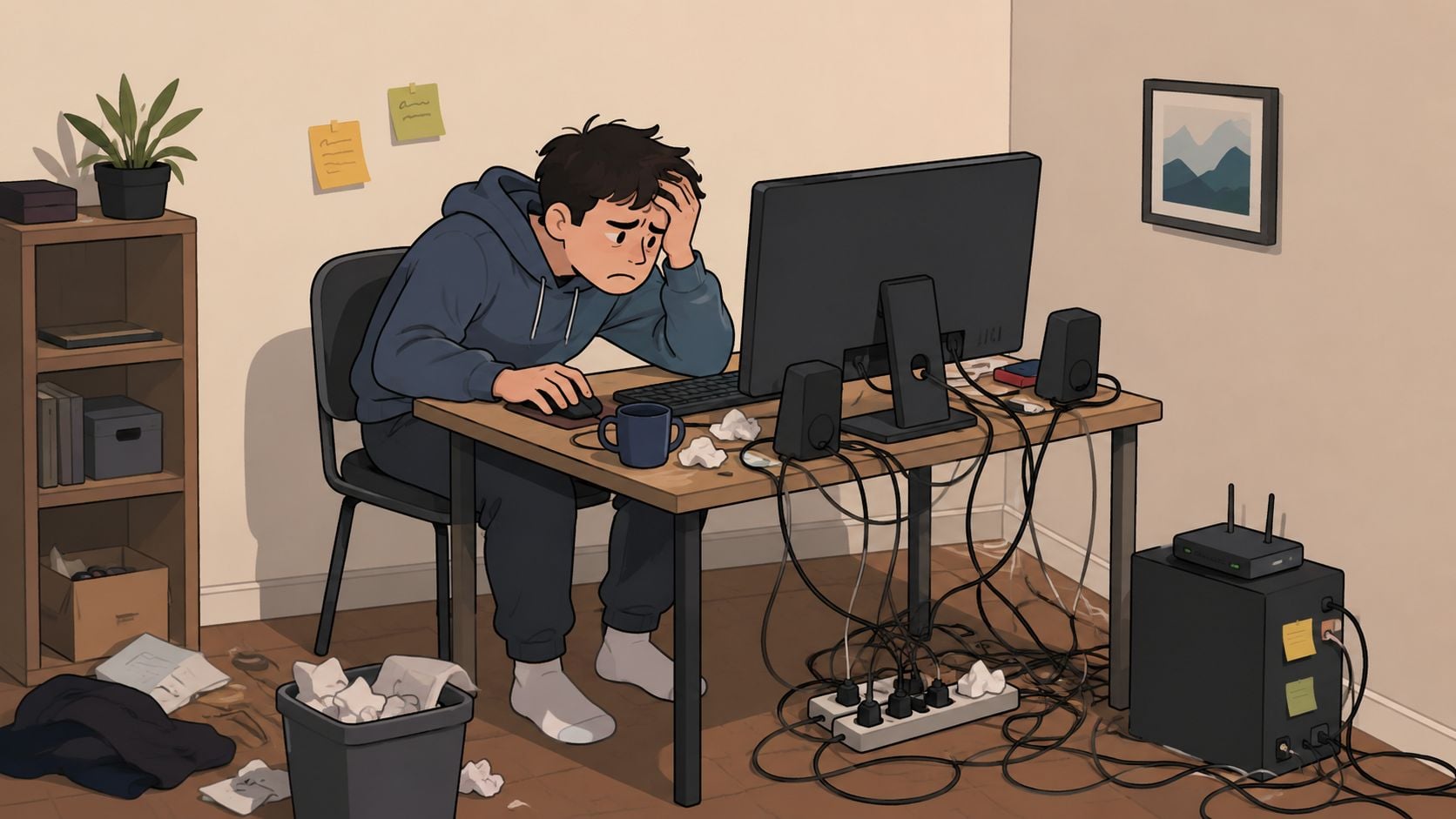
A lot of people also discover too late that the desk is only part of the problem. If the room is cramped, the chair can't move, cables hang everywhere, and the screen sits too close to a window, even a decent desk becomes a bad workstation. For households trying to keep the internet stable enough for long video calls, a practical guide to high-speed internet for telecommuters can be useful alongside the furniture plan.
Why Most Home Office Desk Setups Fail Before They Start
The classic mistake is simple. Someone buys a desk because it looks good online, drags it into a bedroom corner, and only then notices there's no room for the chair, the printer, the laptop stand, or their knees. At that point, the setup is already compromised, because the room dictated the furniture instead of the other way around.
The three failures that keep showing up
The first failure is ignoring room dimensions. A desk that looks modest in a photo can overwhelm a small room once the chair pulls out and the user starts moving through the day. The second is choosing style over function, which usually means a shallow surface, poor cable access, and no space for proper monitor placement. The third is underestimating adjustability, even though modern home office design increasingly favors posture changes, especially when the desk has to serve full workdays in a mixed-use room.
Practical rule: If the desk cannot hold the screen at the right height and still leave legroom, it is the wrong desk.
That's why the trend toward sit-stand furniture isn't just a style shift. A 2026 industry review says about 22% of remote workers own a height-adjustable sit-stand desk, and market summaries place the standing-desk category at $11.8 billion in 2023 with projection growth to $16.9 billion by 2030 from that source, and another summary at $8.6 billion in 2025 rising to $15.1 billion by 2035. Those figures point to a simple reality, people want desks that fit real work habits, not showroom ideals. The review is summarized in remote work standing desk statistics for 2026.
A smart home office desk setup starts with the room, not the catalog. That's the difference between a workspace that looks finished for a week and one that still works a year later.
Ergonomic Measurements You Need Before Shopping
A desk that looks fine in a store can fail at home the moment the chair rolls out, the monitor goes on top, and the room still has to function for everything else in the day. Measure first, then buy. The desk has to support the screen, keyboard, mouse, chair, and body at the same time, and if those pieces do not fit the room, the setup will feel cramped no matter how good it looks.
The numbers that matter
FIRA's home-office guidance recommends a desktop depth of at least 800 mm, a fixed desk height of 720 mm to 760 mm, and the top of the display at or just below eye height. Queensland workplace guidance also points to a fixed sitting desk height of 680 mm to 720 mm, a desk depth of 800 mm, and a sit-stand desk that rises to at least 1200 mm for taller users. Those ranges protect legroom and reduce forward head tilt, and you can read the FIRA buying guide through its home office measuring advice, while the Queensland workstation guidance is at setting up your workstation.
Start with the chair, because the chair sets the desk relationship. The elbows should sit close to desk height, the knees need clear space underneath, and the screen should rise high enough that the top edge sits at eye level or just below. After that, place the keyboard and mouse where the hands land naturally, without reaching forward.
If the desk is too shallow, the whole setup falls apart. The monitor gets pushed in too close, the keyboard creeps to the front edge, and the user ends up hunching forward to make the space work.
Width matters just as much as depth, especially in small rooms where every inch has to earn its place. One ergonomic guide says 36 inches is the minimum for a laptop setup, about 48 inches works for a single monitor, and 60 inches or an L-shape suits dual or ultra-wide monitors. Another guide says 24 inches deep is only the bare minimum for laptop-only work, while 30 inches deep is more appropriate once an external monitor and keyboard are involved. That guidance is summarized in minimum desk size for a home office, and the measurement process is easier if you first review how to measure furniture correctly.
| Setup Type | Minimum Desk Depth | Recommended Desk Width | Monitor Distance |
|---|---|---|---|
| Laptop-only setup | 24 inches | 36 inches | At arm's length |
| External monitor and keyboard | 30 inches | 48 inches | At arm's length |
| Dual or ultra-wide monitor setup | 30 inches or more | 60 inches or L-shape | At arm's length |
A compact room, a shared family area, or a multipurpose spare room needs this discipline even more than a dedicated office does. The right numbers stop the desk from taking over the room, and they also stop the user from settling for a surface that looks acceptable but causes daily strain. For anyone comparing larger setups, it also helps to compare gaming standing desks before choosing a layout that has enough depth and width for real use.
Choosing the Right Desk Type for Your Space and Work Style
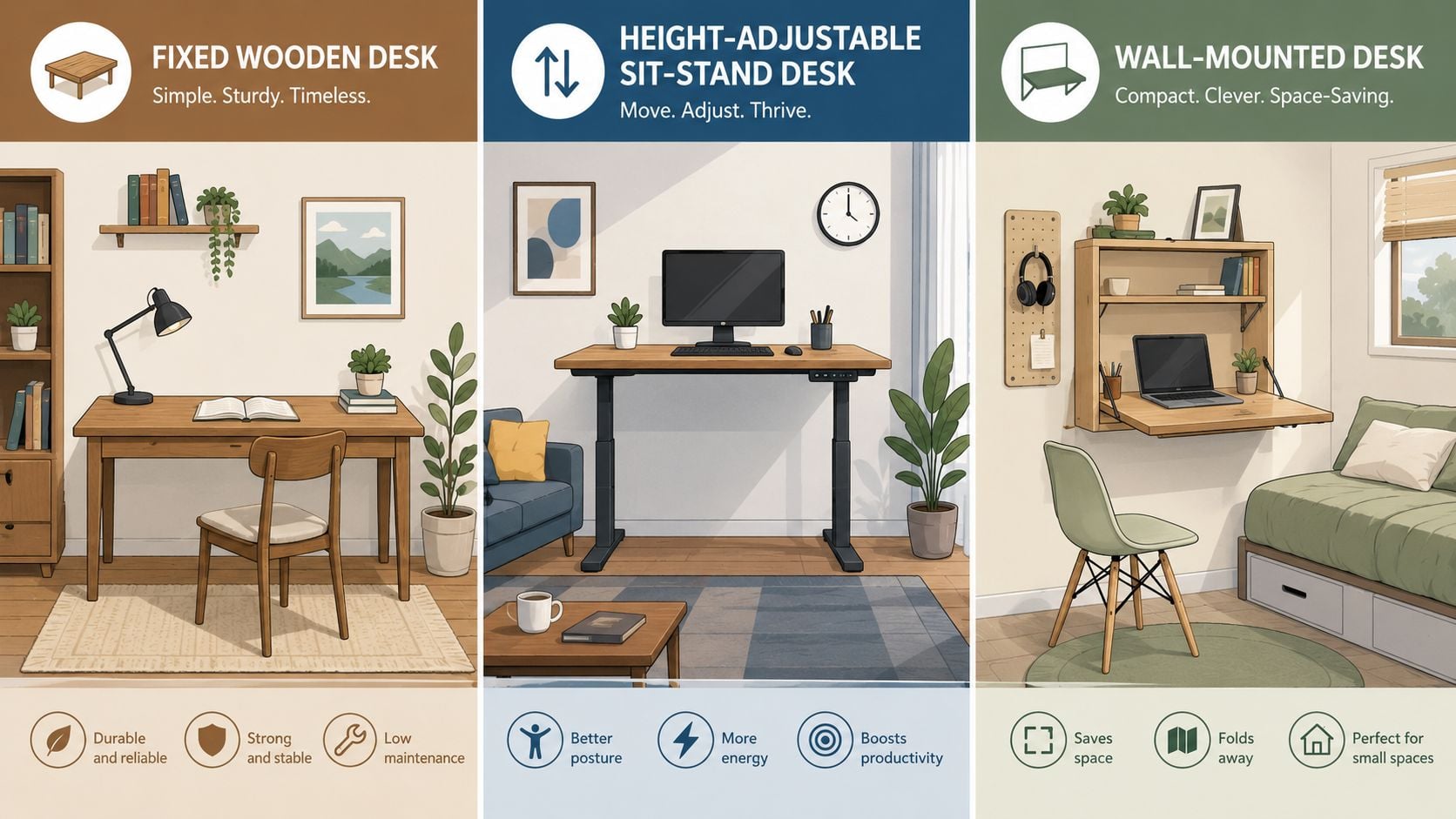
A fixed desk is the cleanest choice when the room is small and the work pattern is straightforward. It's stable, usually simpler to place against a wall, and it doesn't introduce extra mechanical parts into an already tight layout. If the user already has a supportive chair and a monitor arm, a fixed desk can deliver a very solid result without overspending.
Match the desk to the way the room is used
A height-adjustable sit-stand desk makes sense when the workspace has to support long screen sessions, frequent posture changes, or multiple tasks in the same day. That's where the market growth matters, because the standing-desk category has moved from niche to mainstream in major markets, and the underlying reason is practical, people want flexibility in how they work. A sit-stand desk is especially useful when the room also serves as a guest space or hobby area, since it lets the setup shift rather than locking the room into one posture.
An L-shaped desk works best when there's a corner that can absorb equipment without making the main room feel crowded. One side can hold the monitor and keyboard, while the other handles paperwork, a printer, or a secondary device. A compact writing desk is the right answer when the room is small and the work is laptop-first, but it should be treated as a minimalist solution, not a full workstation for every household.
The right desk is the one that fits the task without hijacking the room.
Facing direction matters too. A wall-facing layout creates a strong visual boundary in shared rooms, which helps people mentally separate work from the rest of the house. A window-facing desk sounds pleasant, but glare and changing light can become annoying fast, so side lighting usually works better. In a room with limited space, the center of the room is rarely the answer, because circulation around the desk matters more than a magazine-style composition.
For households planning around storage, devices, and future changes, the ultimate guide to multifunctional home office furniture is worth a look because multifunctional pieces usually solve more than one space problem at once. Tip Top Furniture & Mattresses also carries desks and workspace pieces that can be customized for fit, which matters when the room is the constraint rather than the style preference.
For anyone comparing a more performance-driven setup, it can help to compare gaming standing desks alongside traditional office options, not because the room needs a gaming aesthetic, but because those comparisons often highlight stability, cable routing, and surface depth in a practical way. The decision should come down to how the room functions on an ordinary Tuesday, not how it photographs on day one.
Arranging Your Desk and Equipment for Real Rooms
A real home office often has a door swing, a vent, a power outlet in the wrong place, and a second use that can't disappear. That means the arrangement has to respect circulation first. A desk that blocks movement will get resented, even if it has perfect ergonomic measurements on paper.
Start with the room, then place the chair
The chair goes in first because it determines the working footprint. Keep about 30 inches of clearance behind the chair so the user can sit down, roll back, and get up without bumping a wall or cabinet. Then place the desk so the user can see the door, the window, and the path into the room without twisting every time someone walks by.
Then align the screen and peripherals
The monitor belongs directly in front of the user, with the top of the screen at or just below eye height. The keyboard and mouse should stay on the same level, and the mouse should sit close to the keyboard rather than drifting out toward the edge of the desk. Safe Work Australia's workstation guide also says the screen should be about one arm's length away, and it should be positioned to reduce glare from windows, which is why side lighting usually beats backlighting in a small room. The guide is available at working from home workstation setup.
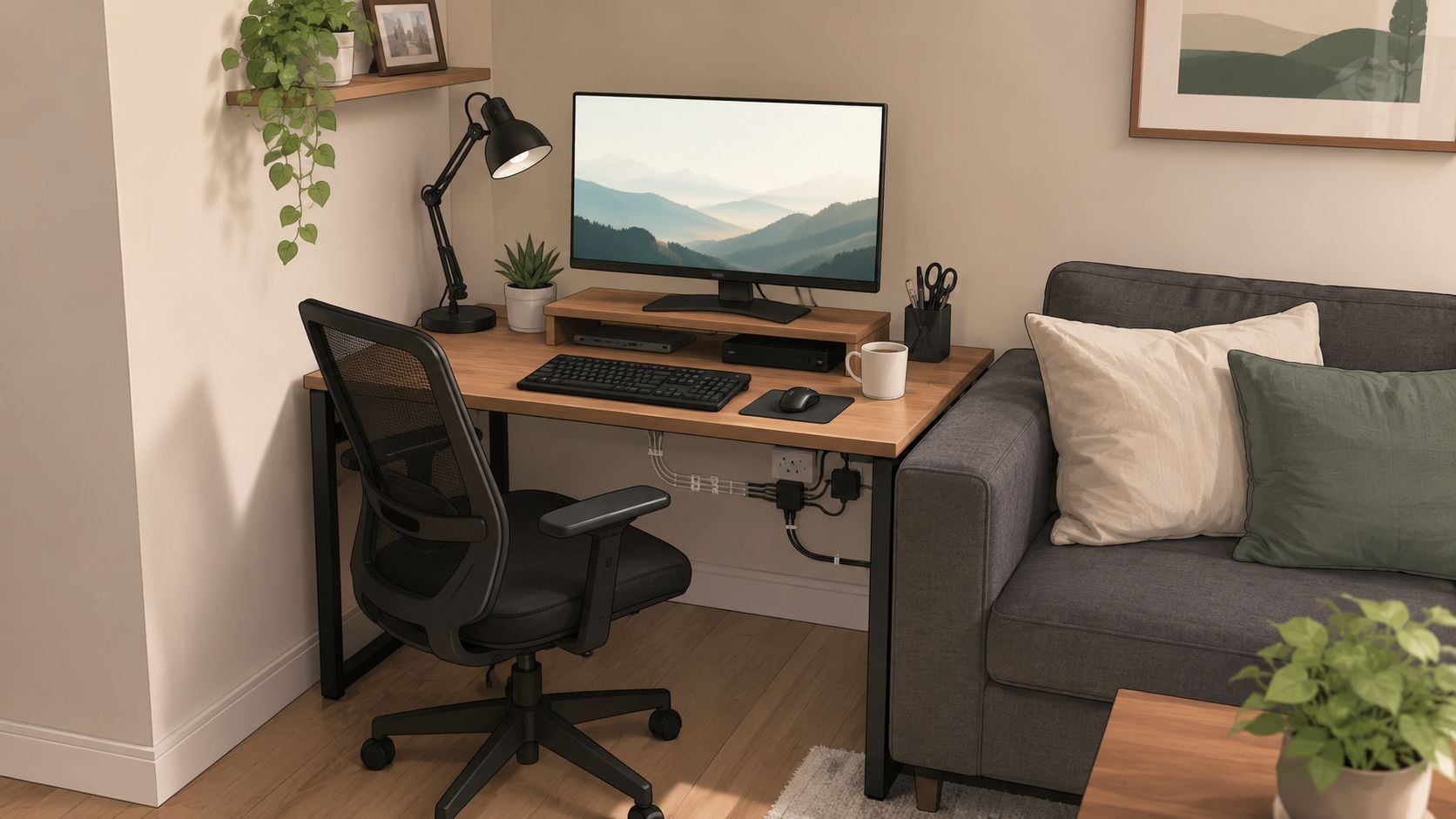
Cable routing matters more in small rooms than in dedicated offices. If the desk sits near a hallway nook or shared living area, cords should run cleanly along the back edge and drop out of sight rather than crossing the floor or dangling into walking space. The home office desk placement guidance from Tip Top Furniture & Mattresses is useful here because it focuses on door swings, windows, outlets, and traffic paths, which are the details that usually make or break a layout.
The simplest rule is this. Put the desk where the room can tolerate it, then tune the body position around that placement. That approach beats forcing the furniture into a “perfect” setup that nobody can comfortably live with.
Lighting, Cable Management, and Storage That Complete the Setup
A desk setup still fails if the room feels cluttered and hard to use. Light, cords, and storage are the last layer, but they decide whether the workspace feels calm or constantly in the way. A room can meet ergonomic basics and still frustrate you if these pieces are ignored.
Light the task, not the whole room
For office work, 300 to 500 lux gives enough ambient light without forcing the screen to carry the load. Keep the monitor out of direct window glare, and avoid placing it where reflections hit the screen all day. A desk lamp or monitor light should support the task area, not wash the whole room in light, because that keeps reading, typing, and video calls easier on the eyes. A more detailed viewing-distance and lighting benchmark is covered in a comprehensive home office setup guide for deep work benchmarks, and if you also want a clearer gaming-oriented example, build a peak performance battlestation.
Hide the cords without remodeling the house
Cable management needs to stay practical in real homes. Under-desk trays, adhesive clips, and cable sleeves handle most of the mess without opening walls or turning the setup into a renovation project, which matters in rentals and finished rooms. Keep each cord on a clear path, along the back edge or down one leg, so nothing crosses the floor or hangs into walking space. That keeps the desk easier to clean and makes later changes simpler.
Use storage to protect the work surface
Storage works best when the things you use every day stay close, but off the desktop. Vertical shelving, a monitor stand with built-in storage, or a slim cabinet beside the desk can hold notebooks, chargers, and peripherals while leaving the surface open for actual work. For small rooms and shared spaces, the right storage plan matters as much as the desk itself, and home office storage ideas gives useful ways to keep supplies contained without crowding the room.
A polished office usually isn't bigger, it's just better organized.
For homes that need the office to share space with sleeping, entertaining, or family traffic, the rule stays the same. Give the desk one clear task zone, one place for storage, and one clean route for cables. That is what makes the setup read as intentional instead of temporary.
How Tip Top Makes Your Home Office Setup Simple and Affordable
Home office planning gets easier when a local showroom can help with the moving parts. Tip Top Furniture & Mattresses is a family-owned showroom in Freehold, NY, serving the Greater Albany Capital Region since 1978, and its approach fits this kind of project well because home offices often need exact sizing, not just a pretty desk. Its free online room planner helps test layouts before anything gets ordered, which takes a lot of guesswork out of tight spaces.
The design side matters too. Tip Top's professional design services, available since 1984, can coordinate furniture with flooring and décor, which is useful when the office sits inside a bedroom, living area, or flex room. Custom ordering also helps when the space demands a specific width, finish, or wood type, and the showroom's delivery service can remove some of the friction that keeps projects stalled. The store's assembled furniture delivered page is a practical next step for anyone who wants the setup done without extra hassle.
Affordability matters just as much as design. Flexible financing through the Synchrony Home Card can make a better desk or chair easier to manage, and the Clearance Corner gives budget-minded shoppers a way to bring home quality pieces without waiting months. For homeowners in Albany, Schenectady, Troy, Freehold, and across Greene County, that combination of local guidance, custom options, and one-stop shopping is often the fastest path from measuring a room to finishing it.
If the current workspace is still forcing the body to work around the furniture, it's time to fix the room instead of settling for another compromise. Visit Tip Top Furniture & Mattresses to explore home office pieces, custom ordering, design help, and delivery options that make a proper desk setup easier to get right the first time.