8 Home Office Lighting Ideas for 2026

Is your home office lighting plan built around the desk and monitor, or did the desk end up wherever the room had space? A workspace can feel dim, glare-filled, or uncomfortably dependent on one harsh ceiling fixture even when the furniture itself is well chosen. The strongest home office lighting ideas combine daylight, ambient illumination, focused task light, and carefully controlled accents.
The practical progression below starts with improvements that may cost nothing, then moves through adjustable lamps, dimmers, screen positioning, decorative fixtures, smart controls, and full-spectrum options. It also includes a simple placement diagram to help coordinate windows, a desk, a monitor, and each light source.
Tip Top Furniture & Mattresses has served homeowners from its family-owned Freehold, NY showroom since 1978, including customers throughout Albany, Schenectady, Troy, Greene County, and the wider Capital Region. Its Professional Design Services have been available since 1984, supporting furniture coordination, window treatments, flooring, custom ordering, and complete room planning. The Free Online Room Planner can help homeowners test a layout before purchasing, while the home office furniture collection provides a starting point for a coordinated workspace. Flexible financing and the Clearance section can also help keep a larger furnishing project manageable.
1. Layered Lighting Builds a More Comfortable Home Office
A single ceiling fixture rarely handles every task in a working room. Ambient light fills the space, task light reaches the desk, and accent light adds softer illumination around shelving, artwork, or architectural features. Together, these layers reduce harsh contrast and give the eyes a more balanced environment during screen work.
Daylight should usually form the base layer when the room allows it. Add a dimmable ceiling or floor fixture for general visibility, then place an adjustable desk lamp where documents, notebooks, or keyboard work need more precision. Accent lighting belongs later in the plan, not as a substitute for adequate work-surface illumination.
Practical rule: The screen shouldn't be the brightest object in the room, and the desk lamp shouldn't be the only light source.
A useful furniture and fixture arrangement looks like this:
- Window: Positioned to the side of the desk whenever possible.
- Desk: Set perpendicular to the window, leaving enough depth for the monitor and task area.
- Monitor: Kept away from direct window reflections.
- Task lamp: Placed beside the work area, ideally opposite the dominant hand.
- Ambient fixture: Located overhead or behind the user to fill the room.
- Accent fixture: Directed toward a wall, shelf, or artwork rather than the screen.
The home office design guide offers a useful furniture-planning reference for coordinating the desk, chair, storage, and lighting. Tip Top's Professional Design Services can also help align fixture scale with the room's furniture, especially when a traditional desk, Amish solid-wood piece, or built-in storage needs a warmer visual treatment.

2. Natural Light Should Guide the Furniture Layout
Should daylight determine where your desk goes? In most home offices, yes. A review of office-lighting evidence connects well-managed natural light with fewer reports of eyestrain, headaches, and blurred vision, along with modest gains in reported productivity. The review also finds that lighting affects alertness, visual comfort, preference, and satisfaction, especially when daylight forms part of the plan.
Window access should shape the furniture layout before fixtures are chosen. A desk facing the glass can reflect daylight across the monitor. Placing the desk with its back to the window may leave the face in shadow during video calls and create a bright background. Setting the desk perpendicular to the window usually offers the most practical balance.
Control glare without giving up the window
Window treatments give that arrangement more flexibility. Sheer curtains soften direct sun, light-filtering shades reduce contrast, and adjustable blinds let you control glare as the day changes. Choose the treatment according to the room's exposure, screen position, and work schedule. A south-facing room may need stronger control than a shaded office, while early-morning work can call for a different setup than afternoon calls.
Leave enough clearance for the chair and circulation path. A large desk may improve working comfort but can limit access to the window or make shade adjustment awkward. The desk-placement guide helps homeowners review those relationships before committing to a layout.
Greater Albany Capital Region homes also face seasonal shifts in daylight. Plan for electric light during darker mornings and overcast periods, even when the window location is favorable. Tip Top's room-planner and design services can help coordinate the desk, storage, window treatment, and fixture locations as one complete office plan.

3. Adjustable Task Lamps Put Light Where Work Happens
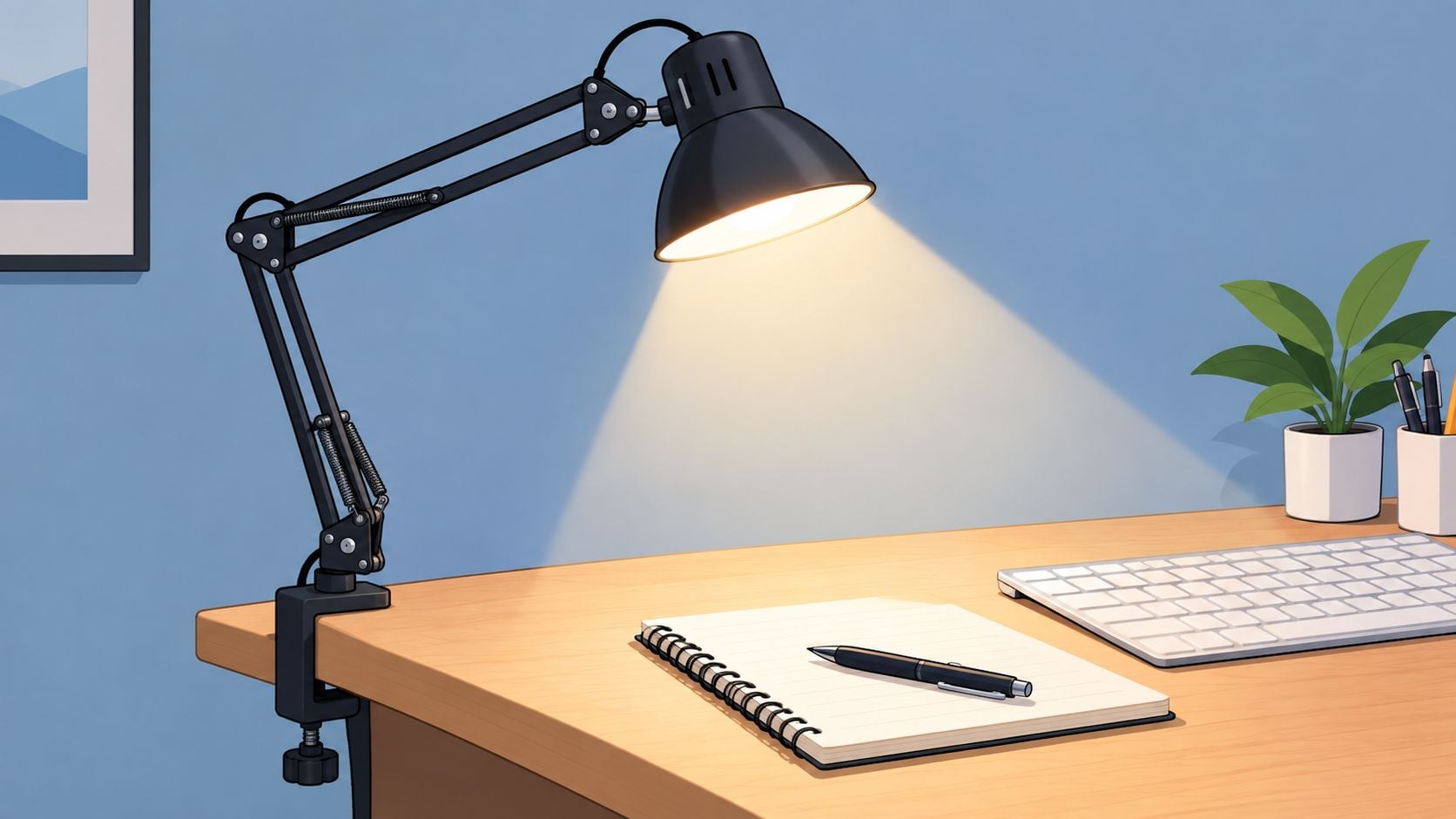
An adjustable-arm desk lamp earns its place by solving a specific problem. It directs light toward paperwork, a keyboard, or a sketchbook without forcing the entire room to become brighter. A swivel head and flexible arm also make it easier to move the light when the desk changes from writing to video calls.
Independent guidance from BenQ's desk-lamp placement guide recommends positioning the lamp off to the side of the dominant hand, about 15 inches from the work area, with roughly 3500K to 4000K color temperature and about 400–450 lumens at the task surface. The same source describes a 2021 clinical review in which warm 3000K light at high intensity, 1500 lux, reduced visual and cognitive fatigue during computer use. Those figures apply to particular guidance and study conditions, so they shouldn't be treated as a universal prescription for every room or lamp.
A practical lamp should have:
- A stable base or clamp, so movement won't send it tipping into a laptop or paperwork.
- Smooth adjustment, allowing the head to aim at the desk instead of the monitor.
- Dimming, because daylight and room brightness change throughout the day.
- Flicker-conscious LED construction, especially for long work sessions.
- A shade or diffuser, which softens the source and limits exposed glare.
For a desk with a solid wood top, the lamp's base should leave enough usable surface for daily work. A clamp can preserve space, while a freestanding architectural lamp may suit a larger executive desk. Tip Top's home office desk setup resources can help coordinate the desk size, storage needs, and task-light position. For electrical installation or hardwired fixtures, a qualified residential lighting electrician should handle the work.
4. Dimmable Overhead Fixtures Create Ambient Control
Overhead lighting should make the room usable without washing the desk in unnecessary brightness. Recessed lights, flush-mount fixtures, and pendants can all work, but their success depends on placement, diffusion, and control. A fixture directly above the monitor may reflect into the screen, while a fixture behind the user can provide more even room illumination.
Dimmers make the ceiling fixture adaptable. During a bright afternoon, the overhead layer may only need to fill shadows. On a dark Albany winter morning, it may need to carry more of the room while a task lamp handles the desk. In the evening, lowering the ambient level can make the office feel less like a commercial workspace and support a smoother transition out of work.
Choose a dimmer rated for the specific LED bulbs or integrated fixture. Not every combination dims smoothly, and flicker or abrupt stepping can make an otherwise attractive installation uncomfortable.
Match the fixture to the furniture
A low ceiling often favors a flush mount. A room with ceiling height can accommodate a pendant, provided it doesn't sit in the user's sightline or interfere with cabinet doors. A traditional desk may look better with a shaded fixture or discreet ceiling light, while a clean-lined contemporary desk can support a simpler integrated design.
The room should also retain enough general light for filing, shelving, and moving around the office. A good plan doesn't leave the corners dark just because the desk surface is bright.

5. Screen Positioning Is Part of the Lighting Plan
A monitor can create glare even when the lamps themselves seem well placed. Reflections from a window, glossy wall, polished desktop, or exposed bulb force the eyes to adjust repeatedly. Screen comfort therefore depends on the relationship between the monitor, desk, window, and every light source in the room.
The most reliable starting point is to place the monitor perpendicular to the window. A monitor arm can then fine-tune height and angle without forcing the desk into an awkward position. Anti-glare screen coatings or filters may help, but they won't correct a poor layout on their own.
Independent office-lighting guidance from the National Research Council of Canada recommends 400–500 lux on desk working surfaces. It also recommends luminance ratios of about 1.5–2:1 between the desktop and background and 0.8–1.2:1 between the screen and background. These ratios illustrate why balanced surrounding light matters, rather than increasing the lamp's output.
Make dual-monitor work less tiring
Two monitors widen the reflective surface and can make a poorly positioned window more disruptive. The desk needs enough depth to keep the screens at a comfortable viewing distance, with the task lamp aimed toward paperwork rather than across the displays. A soft light behind a monitor or on a nearby wall can also reduce the contrast between a bright screen and a dark room.
A realistic routine includes:
- Screen cleaning: Keep filters and displays free of dust that can scatter light.
- Window control: Adjust shades as daylight shifts instead of leaving reflections to chance.
- Task separation: Use directed light for documents and softer ambient light for screen work.
- Visual breaks: Apply the 20-20-20 practice, looking at something 20 feet away for 20 seconds every 20 minutes.
Tip Top's Free Online Room Planner can help visualize the desk's relationship to windows, storage, and circulation before furniture arrives. This is especially useful when a dual-monitor setup must share a room with a sleeper sofa, bookcase, or other household function.
6. Accent Lighting Adds Character Without Competing With Work
A home office shouldn't feel like a waiting room. Accent lighting can give the space warmth and identity while providing gentle illumination around shelves, framed certificates, artwork, or a display cabinet. Wall sconces, picture lights, under-shelf strips, and carefully aimed track fixtures can all work when they remain secondary to the desk light.
The best accent source usually illuminates a surface rather than shining toward the user. A warm fixture behind shelving can create depth, while a picture light can draw attention to a meaningful piece without reflecting across the monitor. A strip light behind a screen or shelf can also soften the visual jump between the display and a dark wall.
Coordinate light with the room's style
A matte-black sconce may suit a modern desk, while aged brass or a shaded lamp can complement traditional furniture. Amish furniture handcrafted in the USA often has a strong grain and substantial presence, so accent lighting should reveal the wood without creating bright patches across the finish.
Tip Top's guide to different lamp-shade styles can help homeowners consider how shade material and shape affect diffusion. Accent fixtures should be dimmable when possible, particularly in an office that becomes a reading or relaxation area after work. For complementary contemporary wall decor and canvas prints, the fixture should highlight the artwork without creating a distracting hotspot.
Smart color-changing lights can have a place during creative or recreational use, but neutral or warm white is usually the more practical setting for ordinary work. Accent lighting should support the furniture arrangement, not compete with the task surface.
7. Smart Lighting Can Follow the Workday
Smart lighting becomes useful when a home office serves several roles across the day. A tunable-white system can provide brighter, cooler light during morning work and shift toward warmer, dimmer light later. Scheduling reduces the need to adjust several fixtures manually, which is helpful when the desk sits in a shared room or the user moves between a computer, reading chair, and storage wall.
Research on circadian-aware office lighting gives this approach a measurable design target. A field study found that lighting systems delivering a circadian stimulus of at least 0.3 reduced sleepiness and increased daytime alertness, vitality, and energy in workers, as reported by the CDC archive. The benchmark supports designing around timing and spectral character, not just wattage or lumen output.
Start with one controlled zone
A single smart bulb in the desk lamp can reveal whether scheduled color changes fit the household routine. If the result feels useful, the system can expand to the ceiling fixture, a floor lamp, or a shelf light. Voice or app control is convenient, but physical switches should remain accessible for guests and quick manual changes.
An effective routine might include:
- Morning: Brighter, cooler light that supports alertness.
- Midday: A balanced setting that complements available daylight.
- Late afternoon: A gradual reduction as outdoor light fades.
- Evening: Warmer, dimmer illumination to separate work from rest.
The timing should reflect the person's actual schedule rather than a rigid preset. Evening blue-light reduction matters when work continues close to bedtime, and a warm setting won't compensate for a glaring screen or badly placed window.
Tip Top's guide to lighting temperature, mattresses, and sleep sanctuary design connects the office lighting decision with the broader sleep environment. That connection matters when the office occupies a bedroom or sits near the household's evening living space.
8. Full-Spectrum Lighting Helps Color-Critical Work
Full-spectrum or daylight-balanced lighting can be valuable when accurate color matters. Artists, photographers, designers, and anyone reviewing fabric, paint, flooring, or printed samples need light that doesn't distort the appearance of materials. A daylight-oriented task lamp can also help compensate when a workspace receives limited natural light.
Design guidance often places full-spectrum bulbs in the 5500K–6500K range for daytime work and recommends a CRI of 95 or higher for accurate color perception. These figures come from the stated lighting guidance, not from a universal requirement, and they aren't ideal for every hour of the day. High color temperature can feel too stark in the evening, especially in a room furnished with warm wood or soft textiles.
Use daylight character selectively
A full-spectrum lamp works best during daytime work sessions, particularly for color review or detailed craft. Pairing it with a warmer source later allows the office to remain comfortable after sunset. Dimming is important because even a well-rendered light can feel harsh if its intensity is excessive for the task.
For a workspace without dependable daylight, the room can use:
- A daylight-balanced task lamp for samples, documents, or creative work.
- Warm ambient lighting for general comfort later in the day.
- Window treatments to control changing natural light.
- Furniture with suitable surface depth for the lamp, monitor, and materials.
A 2024 home-based work study found that corrected illuminance and melanopic equivalent daylight illuminance in most home working spaces did not reach recommended office levels, and 34.3% of recorded daylight conditions fell below regulatory requirements, according to the reported home-office research. The finding supports supplementing daylight thoughtfully, rather than assuming a window automatically provides enough usable light.
8-Point Home Office Lighting Comparison
| Approach | Implementation complexity | Resource requirements | Expected outcomes | Ideal use cases | Key advantages |
|---|---|---|---|---|---|
| Layered Lighting: The Foundation of Productive Home Office Design | Medium–High: requires planning and coordination of multiple fixtures | Multiple fixtures (ambient, task, accent), moderate cost, possible professional consultation | Balanced illumination, reduced glare/shadows, improved focus and visual comfort | Dedicated home offices, long work sessions, multiuse rooms | Versatile; reduces eye strain; customizable; enhances aesthetics |
| Natural Light Maximization: Your First Line of Defense | Low–Medium: mostly layout and window treatment adjustments | Minimal hardware; window treatments, light-reflective finishes; depends on building orientation | Improved mood and alertness, circadian support, lower energy use during daytime | Daytime workers, rooms with good window exposure, biophilic designs | Free renewable light; boosts mood/health; energy savings |
| Task Lighting with Adjustable Arms: Precision and Flexibility | Low: plug-and-play or clamp-mounted lamps | Single adjustable LED lamp, outlet or USB power, moderate one-time cost | Precise focused illumination, reduced surface shadows, lower energy use | Small desks, focused detail work, entry to layered lighting | Highly adjustable; energy-efficient; compact; affordable |
| Overhead Lighting with Dimmer Controls: Ambient Comfort and Mood Control | Medium: may require electrical work and dimmer compatibility checks | Ceiling fixtures, compatible dimmers or smart modules, possible electrician | Uniform ambient light with adjustable brightness; supports layering and mood control | Full-room offices, evening work, integrated lighting schemes | Broad ambient control; programmable dimming; enhances room cohesion |
| Anti‑Glare Screens and Monitor Positioning: Tech‑Smart Lighting Strategy | Low: ergonomic adjustments and add-on filters | Anti-glare filters, monitor arms, minimal hardware and cost | Reduced screen reflections and digital eye strain; improved viewing comfort | Screen-heavy work, remote employees, tight budgets | Affordable; easy to implement; complements other lighting strategies |
| Accent Lighting and Decorative Fixtures: Aesthetic and Functional Balance | Low–Medium: placement and styling considerations, sometimes mounting | LED strips, sconces, track lights, moderate cost; may need installation | Enhanced visual depth and mood, highlights key areas without primary illumination | Creative workspaces, zones separation, aesthetic-focused offices | Boosts ambience and personality; highlights focal points; supports layering |
| Smart Lighting & Circadian‑Rhythm Technology: Advanced Wellness Integration | High: requires setup, app configuration, and possible hub integration | Smart bulbs/fixtures, bridge/hub, reliable WiFi, higher upfront cost | Automated color temperature and brightness changes that support sleep/alertness cycles | Users prioritizing wellness automation, those in low-daylight regions or shift workers | Automation for circadian health; full customization; remote control |
| Full‑Spectrum Lighting: The Comprehensive Wellness Solution | Medium: selecting high-CRI bulbs and integrating with fixtures/dimmers | Full-spectrum LEDs or lamps, compatible fixtures and dimmers, moderate cost | Sunlight-like spectrum improving color accuracy, reduced eye strain, helps mitigate SAD | Color-critical tasks, winter-limited daylight, users needing mood support | High CRI and color accuracy; reduces visual fatigue; effective in low-daylight seasons |
Put Your Home Office Lighting Plan to Work
The most sensible starting point isn't an expensive smart fixture. It's the relationship between the desk, monitor, window, and work surface. Move the desk so daylight arrives from the side, control the window with a shade or blind, and check whether the monitor reflects the glass or an overhead bulb.
Next, add a properly positioned task lamp. Place it beside the working area, keep it out of the monitor's reflection path, and choose adjustable brightness so the lamp can respond to daylight and the type of work. A task lamp should support writing, reading, and paperwork without forcing the entire room into a brighter setting.
Build the ambient layer after the desk works. A dimmable ceiling fixture, floor lamp, or wall light can fill the room and reduce contrast around the screen. Accent lighting can follow as the budget allows, highlighting shelving, artwork, or the finish of a well-made desk without becoming a distraction.
The bulb-temperature plan should remain simple. Daylight-oriented light belongs mainly in daytime work periods, particularly when color accuracy or alertness matters. Warmer, dimmer light suits evening work, especially when the office is close to a bedroom or the workday ends near bedtime. Smart scheduling can make that transition easier, but it can't replace good furniture placement or glare control.
The broader room also deserves attention. Coordinate the desk and storage with window treatments, décor, flooring, and circulation. Tip Top Furniture & Mattresses serves the Greater Albany Capital Region from its Freehold, NY showroom with furniture for the home office, living room, bedroom, dining room, and youth spaces. The store also offers Amish furniture handcrafted in the USA, USA-made mattresses, flooring, window treatments, custom ordering, delivery, flexible financing, and products from more than 50 trusted manufacturers.
A larger furnishing project may benefit from Professional Design Services, available since 1984, while the Home Office collection and custom-order service can help coordinate dimensions, materials, finishes, and storage. Homeowners working within a defined budget can review financing options or check the Clearance Corner for quality pieces with immediate availability.
For homeowners in Albany, Schenectady, Troy, Greene County, and nearby Upstate New York communities, the Free Online Room Planner is a practical first step. A complimentary design consultation can then turn the rough layout into a complete plan that places the furniture, light, flooring, and window control together.
Tip Top Furniture & Mattresses offers home office furniture, lamps and lighting options, window treatments, flooring, custom ordering, and professional design guidance for homeowners across the Greater Albany Capital Region. Use the Tip Top Furniture & Mattresses room-planning resources or visit the Freehold, NY showroom to create a brighter, more comfortable workspace with local support.